How to Buy a Colorado Fishing License on Your Phone
There's nothing more frustrating than arriving at your favorite Colorado fishing spot, tackle box in hand, only to realize you forgot to pick up your fishing license or, worse, that your old one expired. It's a common headache that can quickly derail a relaxing day on the water. Thankfully, the days of hunting down a physical store or rushing to print a license are largely behind us, as buying your Colorado fishing license right from your phone is now easier and more convenient than ever. This guide will walk you through everything you need to know to get your license digitally, so you can spend less time stressing and more time casting.
Why Buying Your License on Your Phone is a Game Changer
Let's be real, life is busy. Between work, family, and just trying to keep up with everything, remembering to stop by a local sporting goods store or a Colorado Parks and Wildlife (CPW) office to grab a fishing license often slips through the cracks. That's where the beauty of purchasing your license on your phone truly shines. It’s not just about convenience; it’s about instant access, flexibility, and ensuring you’re always compliant with regulations, no matter where your Colorado adventures take you.
Convenience on the Go
Imagine you're on a spontaneous road trip through the mountains, you spot a gorgeous high-country lake, and the trout are practically jumping out of the water. The urge to fish is overwhelming, but you're miles from the nearest town. With your phone, this scenario isn't a problem anymore. You can pull over, connect to data or Wi-Fi, and have a valid license in minutes. This immediate accessibility means you don't have to plan your fishing around business hours or specific locations. It empowers you to make those spur-of-the-moment decisions that often lead to the best memories. Whether you're at home on the couch, waiting at the doctor's office, or already at the trailhead, your phone is your ticket to legal angling.
Instant Access and Proof
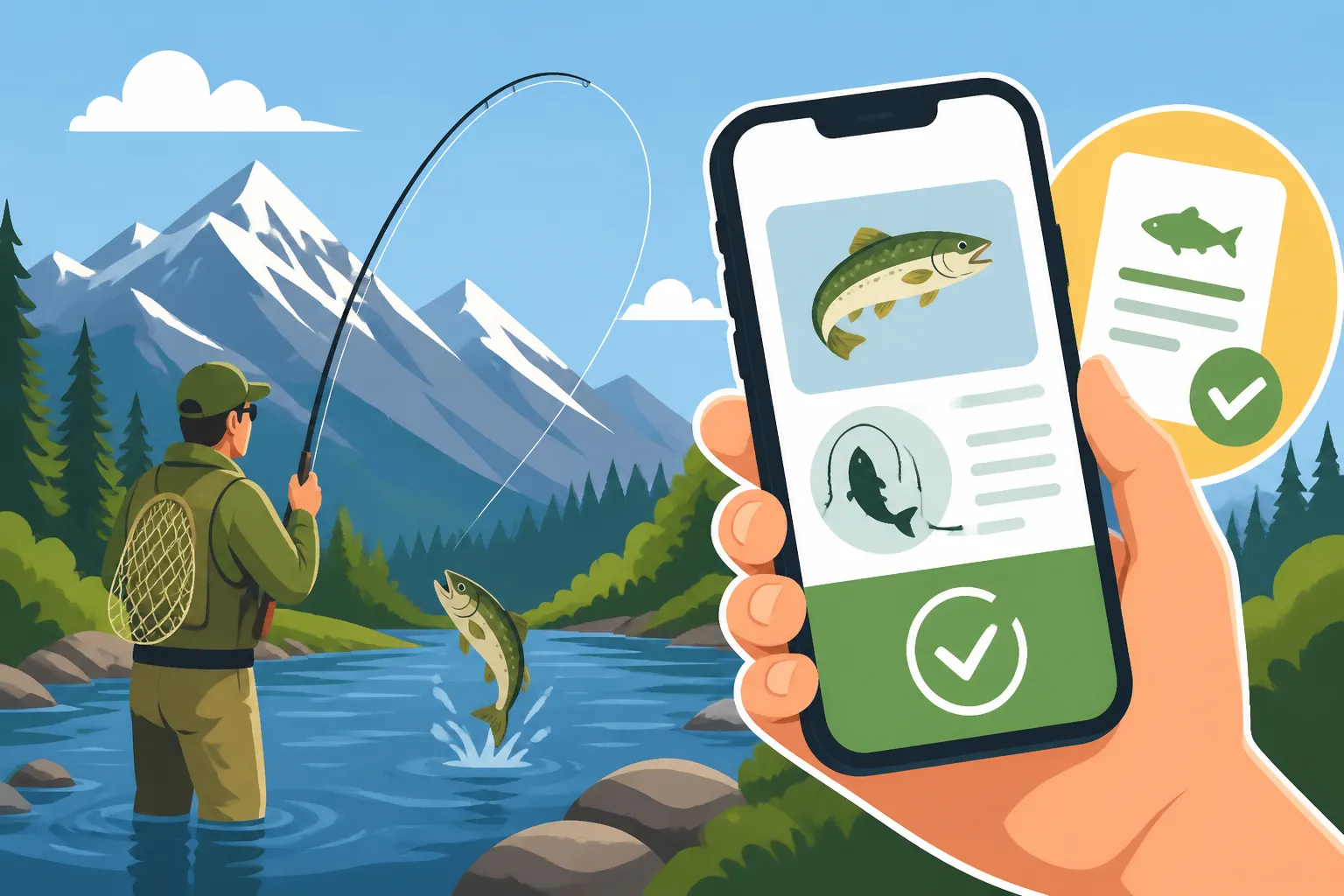
One of the biggest advantages of a digital license is the instant proof of purchase. Once your transaction is complete, you usually receive an email confirmation that includes your license information, and it's also often immediately accessible within your CPW account. This means you don't have to worry about a printer jamming or running out of ink. You can simply display your license on your phone's screen if a park ranger or game warden asks to see it. It's perfectly valid for showing your Colorado fishing license in the field, as long as it's readable. This removes the stress of carrying a physical card that can get lost, damaged, or soaked while you're out enjoying the elements. Just make sure your phone is charged!
Streamlined Renewal Process
For those of us who tend to forget annual renewal dates, buying your license on your phone can simplify the entire process for future years. Once you've created an account on CPWShop.com, your personal information, previous license history, and even payment methods can often be saved. This means that when it's time to renew your Colorado fishing license next year, it's often just a few clicks. The system remembers your details, making it incredibly quick to get a new annual license or even switch to different options like a five-day or one-day license if your plans change. This ease of renewal reduces the likelihood of accidentally fishing with an expired license, keeping you on the right side of the law.
Step-by-Step Guide to Buying Your Colorado Fishing License on Your Phone
Ready to get your license? It's a straightforward process, but knowing what to expect can make it even smoother. We'll walk you through each step, from what information you need to how to access your new digital license.
Preparing for Your Purchase
Before you even open your browser, gather a few pieces of information. This will make the process much faster and prevent you from having to scramble mid-purchase.
- Personal Information: You'll need your full name, date of birth, mailing address, and email address. Make sure these match your official identification.
- Identification: For residents, you'll need your Colorado Driver's License or State ID number. Nonresidents will typically need their driver's license number from their home state. This helps verify your status for Resident vs Nonresident Fishing Licenses in Colorado.
- Residency Proof (if applicable): While your CO ID usually covers this, if you're a new resident or have unique circumstances, familiarize yourself with Colorado's residency requirements.
- Payment Method: Have a credit or debit card ready. Most major cards are accepted. You won't be able to use a gift card you might have picked up on Amazon for this purchase, as it's a direct transaction with the state's system.
- CPW Account (Optional but Recommended): If you don't have one, consider creating a free account on CPWShop.com before you start. This stores your information for future purchases and provides easy access to all your licenses.
Navigating the CPW Website
The primary platform for purchasing your Colorado fishing license online is the official Colorado Parks and Wildlife (CPW) retail site, CPWShop.com. While there isn't a dedicated "app" in the traditional sense for license purchases, the website is fully mobile-optimized, making it function just like one on your phone's browser.
- Open Your Browser: Launch your preferred web browser (Safari, Chrome, Firefox, etc.) on your smartphone.
- Go to CPWShop.com: Type "CPWShop.com" into the address bar and navigate to the website.
- Log In or Create Account:
- If you have an existing CPW account, log in using your customer ID and password.
- If you're a new customer, select the option to "Create an Account" or "Purchase a License Without an Account." Creating an account is highly recommended as it keeps all your licenses in one place and simplifies future transactions.
- Select "Buy Licenses": Once logged in or proceeding as a guest, look for the clear option to "Buy Licenses" or "Purchase Hunting/Fishing Licenses."
- Choose Fishing License: You'll be presented with various license types (hunting, fishing, parks passes). Select "Fishing License."
- Select License Type and Duration: This is where you'll choose the specific license that fits your needs. Colorado offers several options, including:
- Annual Licenses: Valid from April 1st through March 31st of the following year.
- One-Day Licenses: Perfect for a quick trip.
- Five-Day Licenses: A popular choice for visitors or short vacations. You can also explore Colorado's Annual, One-Day and Five-Day License Options.
- You'll also specify if it's for a resident or nonresident. Remember, Colorado Fishing License Costs Explained will give you the full breakdown of prices for all these options.
- Add Required Stamps/Endorsements: Colorado requires a Habitat Stamp for most anglers aged 18-64. You'll typically be prompted to add this during the purchase process. It's an important part of supporting wildlife conservation, and Colorado's Habitat Stamp, Explained goes into detail about who needs one. If you plan on fishing with two rods, you'll also need a Colorado's Second-Rod Stamp and Who Needs One, which can usually be added here too. For kids, make sure to check Do Kids Need a Fishing License in Colorado? and Colorado Youth Fishing License Rules for Ages 16 and 17 to understand age requirements and costs.
Completing the Transaction
Once you’ve selected your license and any necessary stamps, you're just a few steps away from being fully licensed.
- Review Your Cart: Double-check all the items in your cart to ensure you've selected the correct license type, duration, and any required stamps. Mistakes here can be a hassle to correct later.
- Enter Personal Details: If you didn't log in or create an account, you'll be asked to input your personal details, including your identification number (driver's license or state ID).
- Provide Payment Information: Enter your credit or debit card details. The site uses secure encryption, so your information is protected.
- Confirm and Purchase: Review one last time, then click the "Confirm" or "Purchase" button. You'll typically receive an immediate on-screen confirmation.
- Access Your Digital License: After a successful purchase, you'll usually get an email confirmation containing a link to your digital license or instructions on how to access it through your CPW account. It's often available immediately in a downloadable PDF format or viewable directly on the website.
Common Hurdles and How to Overcome Them
While buying a license on your phone is incredibly convenient, sometimes things don't go perfectly. Understanding potential issues and how to troubleshoot them can save you a lot of frustration.
Connectivity Issues and Solutions
Let's face it, cell service in the Colorado wilderness can be spotty at best. You might find yourself wanting to buy a license but struggling to get a signal.
- Plan Ahead: The best solution is to buy your license before you head into areas with limited service. Do it from home, your hotel, or any place with reliable Wi-Fi or strong cell signal.
- Offline Access: Once you've purchased your license and received the digital copy via email or in your CPW account, download it! Save the PDF to your phone's files, take a screenshot, or add it to a digital wallet app like Apple Wallet or Google Pay. This way, even if you lose signal, you have a digital copy of your Showing Your Colorado Fishing License in the Field.
- Hotspots and Public Wi-Fi: If you're in an area with some public Wi-Fi (like a coffee shop or visitor center), use that to complete your purchase. Portable Wi-Fi hotspots, often available from cellular providers or as standalone devices, can also be a lifesaver in remote areas.
- CPW Kiosks or Stores: As a last resort, if technology truly fails you and you haven't bought your license in advance, remember that physical locations still exist. Many sporting goods stores like those found in larger towns, or even some smaller mom-and-pop shops, can process licenses.
Verifying Residency and Age
Colorado has clear rules regarding who qualifies for a resident license and specific age groups for licenses. Sometimes, the automated system might run into a snag verifying this information.
- Matching ID: Ensure the personal information you enter (name, address, date of birth) exactly matches your Colorado Driver's License or State ID. Any discrepancy can cause a hold-up.
- Non-Resident Status: If you're a nonresident, make sure you correctly select the nonresident option. Trying to purchase a resident license without valid proof of Colorado residency will halt your transaction. Remember to check the nuances of Resident vs Nonresident Fishing Licenses in Colorado.
- Youth Licenses: For anglers under 18, the requirements differ. Children 15 and under do not need a license to fish in Colorado. However, those aged 16 and 17 do need a youth fishing license. The system will prompt you for the appropriate license based on the birthdate you enter.
- Online Issues: If the system can't verify your residency despite correct information, it might be a database issue. In such cases, contact CPW customer service directly. They can manually review your details and assist with the purchase.
Understanding License Options
Colorado offers a variety of license options, and it's easy to get confused about what you actually need, especially when considering duration or additional stamps.
- Annual vs. Short-Term: Most resident anglers opt for an annual license for the best value if they plan to fish more than a few days a year. Nonresidents, especially those on vacation, often benefit from the one-day or five-day options. If you're on a two-week trip, you can combine a five-day license with What an Extra Day Costs on a Colorado Nonresident License for a more extended period.
- Habitat Stamp: As mentioned, this is mandatory for most adult anglers. Don't forget it, as it's a separate fee that goes directly to wildlife habitat projects.
- Second-Rod Stamp: If you're like me and enjoy the convenience of setting out a second line while you focus on another, you absolutely need this stamp. It allows you to fish with two rods simultaneously, but only where legal. It’s an add-on to your primary license.
- Colorado State Park Passes vs. Fishing Licenses: It's crucial to understand that a state park pass, while great for entry, does not cover the cost of your fishing license. These are two separate requirements, and you'll need both if you plan to fish within state parks. For example, if you plan to fish Chatfield Reservoir, you'll need both your fishing license and a park pass.
- Review Before Purchase: The best way to overcome confusion is to carefully read the descriptions for each license type during the online purchase process. The CPW website is usually very clear about what each option entails and its associated costs.
Keeping Your Digital License Handy
So, you've successfully purchased your license on your phone – congratulations! Now, let's make sure you can easily access it when you need it most. After all, a digital license is only useful if it's readily available.
Screenshotting and Saving to Wallet Apps
Once your purchase is complete and you have access to the digital PDF or web view of your license, take a moment to secure it on your device.
- Screenshot It: This is the quickest and easiest method. Just take a screenshot of your license information on your phone. Most phones do this by pressing a combination of buttons (e.g., power and volume down on Android, side button and volume up on iPhone). This creates an image file that you can quickly access from your photos even without an internet connection.
- Save as PDF: If you received your license as a PDF via email, download and save it to your phone's "Files" or "Downloads" folder. This maintains the original document quality and ensures you have a clear, readable copy.
- Add to Digital Wallet: For ultimate convenience, consider adding your license to a digital wallet app like Apple Wallet (for iPhones) or Google Pay/Wallet (for Android). While not all government documents are directly supported in these apps, you can often create a custom "pass" or use third-party apps to add important documents. This means your license is just a tap away, often without even unlocking your phone. You can even find specific wallet cases on Amazon that provide quick access to your phone while protecting it outdoors.
- Email Forward: Forward the confirmation email containing your license details to a secondary email address (like a partner's or a backup account). This provides another layer of redundancy in case your phone is lost or damaged.
What Game Wardens Look For
When a Colorado Parks and Wildlife officer or game warden approaches you, they'll typically ask to see your fishing license. Presenting your digital license is perfectly acceptable, but clarity is key.
- Be Prepared: Have your phone ready and unlocked, with the license displayed clearly on the screen. Don't make the officer wait while you fumble through apps or try to remember your login.
- Clear Display: Ensure your screen brightness is up and the license details are easily legible. The officer needs to be able to quickly see your name, license number, and expiration date.
- Respectful Interaction: Always be polite and cooperative. The wardens are out there to ensure everyone follows the rules and to protect Colorado's natural resources. A smooth interaction makes everyone's day better. This applies to all Colorado Fishing Regulations Every Angler Should Know.
Backup Plans
Even with the best intentions, technology can be unpredictable. Phones run out of battery, get dropped in the water, or simply malfunction. Having a backup plan is smart for any outdoor enthusiast.
- Print a Copy (If Possible): If you have access to a printer at home, printing a physical copy of your license and keeping it in your tackle box, wallet, or vehicle glove compartment is a rock-solid backup. While the digital license is convenient, a hard copy never runs out of battery.
- Portable Charger: Invest in a good quality portable phone charger. You can find many reliable options on Amazon. This is crucial for long days on the water, especially in remote areas where finding an outlet is impossible. A dead phone means no digital license, which can lead to a citation.
- Share with a Fishing Buddy: If you're fishing with a partner, and you both purchased licenses, you might consider having each other's license information saved (with permission, of course). If one phone dies, the other might still have the necessary proof.
- Consider a Colorado Fishing License Options for Someone Without a Smartphone: While this article focuses on phone purchases, if you frequently fish in areas with zero service or are concerned about phone dependency, keeping the traditional paper copy in mind is always a good strategy.
Buying your Colorado fishing license on your phone is a fantastic convenience that truly enhances the angling experience. It's quick, efficient, and ensures you're ready for whatever fishing adventure comes your way, whether planned or spontaneous. Just remember to prepare, understand your options, and always have a backup plan for when technology decides to take a break. Happy fishing!
| License Type | Residency | Validity Period | Common Requirements |
|---|---|---|---|
| Annual Fishing License | Resident | April 1st – March 31st | CO Driver's License/State ID |
| Annual Fishing License | Nonresident | April 1st – March 31st | Home State Driver's License/ID |
| One-Day Fishing License | Resident/Nonres | Specific Day Selected | Driver's License/ID |
| Five-Day Fishing License | Resident/Nonres | 5 Consecutive Days | Driver's License/ID |
| Youth Fishing License | Resident/Nonres | April 1st – March 31st | Proof of age (16-17 years old) |
| Habitat Stamp | 18-64 years old | April 1st – March 31st | Required with most fishing licenses |
| Second-Rod Stamp | All ages | April 1st – March 31st | Must have valid fishing license |
Disclaimer
The information provided in this guide is for general informational purposes only and is subject to change. While we strive to keep the content up-to-date and accurate, Colorado fishing regulations, license costs, and purchasing procedures can be updated by Colorado Parks and Wildlife (CPW) at any time. Always consult the official CPW website (cpw.state.co.us or CPWShop.com) or their latest fishing regulations brochure for the most current and authoritative information before engaging in any fishing activities. Compliance with all state laws and regulations is the responsibility of the individual angler.