Is a Digital Colorado Fishing License on Your Phone Accepted?
It’s a beautiful day, you’re out on a stunning Colorado river or lake, phone in hand, ready to cast your line, and then a thought creeps in: "Is this digital fishing license on my screen really going to be enough if a Colorado Parks and Wildlife (CPW) officer asks to see it?" It’s a completely valid concern. No one wants to turn a relaxing fishing trip into a stressful encounter with a fine. This guide is here to untangle the nuances of using a digital fishing license in Colorado, giving you the peace of mind to focus on landing that trophy trout.
The Official Stance on Digital Fishing Licenses in Colorado
Gone are the days when a crumpled paper license was your only option. Colorado Parks and Wildlife has embraced technology, and for good reason. Carrying a physical license can be a hassle; it can get lost, torn, or simply forgotten on the kitchen counter. Recognizing these modern-day challenges, CPW explicitly allows anglers to carry their fishing licenses digitally. This means your smartphone, tablet, or other electronic device can officially serve as proof of your licensure.
However, "digital" doesn't just mean any old photo on your phone. The key here is accessibility and legibility. The digital version of your license must be easily viewable and clearly present all the required information, just as a physical license would. This policy extends beyond just the fishing license itself; if you've purchased a Colorado Habitat Stamp, that too needs to be readily accessible alongside your fishing license, whether digitally or in its physical form. CPW’s goal is to make it convenient for you, the angler, while still ensuring compliance with state regulations.
One of the best ways to ensure compliance is by using the official My Colorado Parks and Wildlife app. This app is designed specifically for Colorado hunters and anglers and provides a centralized, official place to store and display all your purchased licenses. It's built to meet CPW's requirements, offering a seamless experience when an officer needs to verify your credentials in the field. Think of it as your digital wallet for all things Colorado outdoor recreation.
How to Properly Carry Your Digital License
So, you’ve decided to go digital – excellent choice! But simply having a picture of your license buried deep in your camera roll might not cut it. The expectation is that you can quickly and clearly present your license when asked. This requires a little preparation and understanding of the best practices for carrying your digital fishing license.
Utilizing the My Colorado Parks and Wildlife App
The My Colorado Parks and Wildlife app is undoubtedly the gold standard for carrying your digital license. It's free, available on both iOS and Android devices, and specifically designed for this purpose. Once you've purchased your license, whether through CPWShop.com or an authorized vendor, you can log into the app using your customer identification number (CID) and date of birth. Your active licenses, including your fishing license and Habitat Stamp, will then appear in the app's "Licenses" section.
When an officer asks to see your license, you simply open the app, navigate to your licenses, and present the screen. The app displays all the necessary information in a clear, standardized format, making verification quick and easy. This method eliminates any ambiguity about the validity of your digital copy, as it's coming directly from the official source. It's much like having your boarding pass directly in a airline's app – it's trusted and expected.
Other Digital Display Options and Their Limitations
While the official app is preferred, CPW does generally accept other digital forms, such as a PDF of your license saved to your phone or even a high-resolution photograph. However, these methods come with caveats. If you choose to save a PDF or a photo, ensure it’s easily accessible – not buried in an obscure folder or lost among hundreds of vacation pictures. Consider creating a dedicated folder or saving it to your home screen for quick access. A common frustration anglers face is fumbling through their phone while a game warden waits, which isn't a good look.
The biggest challenge with non-app digital copies, or even the app itself, often boils down to your device's functionality. What happens if your phone battery dies mid-day on the Poudre River, miles from a charging port? Or if you’re in a remote section of the Gunnison River and have no cell signal? These are crucial scenarios to consider. While CPW accepts digital licenses, they still require you to produce it. If your device fails, you are effectively fishing without a license, which can lead to penalties. It's a stark reminder that convenience often requires a backup plan.
The Importance of Backup Plans
Given the potential for technological glitches, a backup plan isn't just a good idea; it's practically essential. For many anglers, this means carrying a physical printout of their license as a fail-safe. You can easily print your license at home after purchasing it online, or you can request a physical card when buying it in person. Even a simple black-and-white print from your home printer is perfectly valid. This way, if your phone takes an unexpected swim or runs out of juice, you still have verifiable proof of your licensure. If you've purchased items from Amazon like a waterproof case, you know the value of preparation. For those who prefer the tactile feel, a good old-fashioned paper copy, perhaps laminated for durability, can still be retrieved. You might also want to look into Is a Printed-at-Home Colorado Fishing License Valid? for more details on that specific topic.
Consider a small, portable power bank for your phone, especially on longer trips or in areas with known spotty service. These can be purchased affordably on Amazon and can be a lifesaver for not just your license, but also for navigation or emergencies. Ultimately, the responsibility lies with you to ensure your license is accessible. CPW officers understand that technology isn't perfect, but they also expect anglers to take reasonable precautions.
What to Expect During a Field Check with a Digital License
Getting stopped by a Colorado Parks and Wildlife officer in the field is a routine part of ensuring compliance and can happen to anyone. It's nothing to be nervous about if you're prepared. When they approach, they’ll typically introduce themselves, state the reason for the stop (usually a routine license check), and politely ask to see your fishing license and proof of your Habitat Stamp. This is where your digital license comes into play.
Presenting Your License and Habitat Stamp
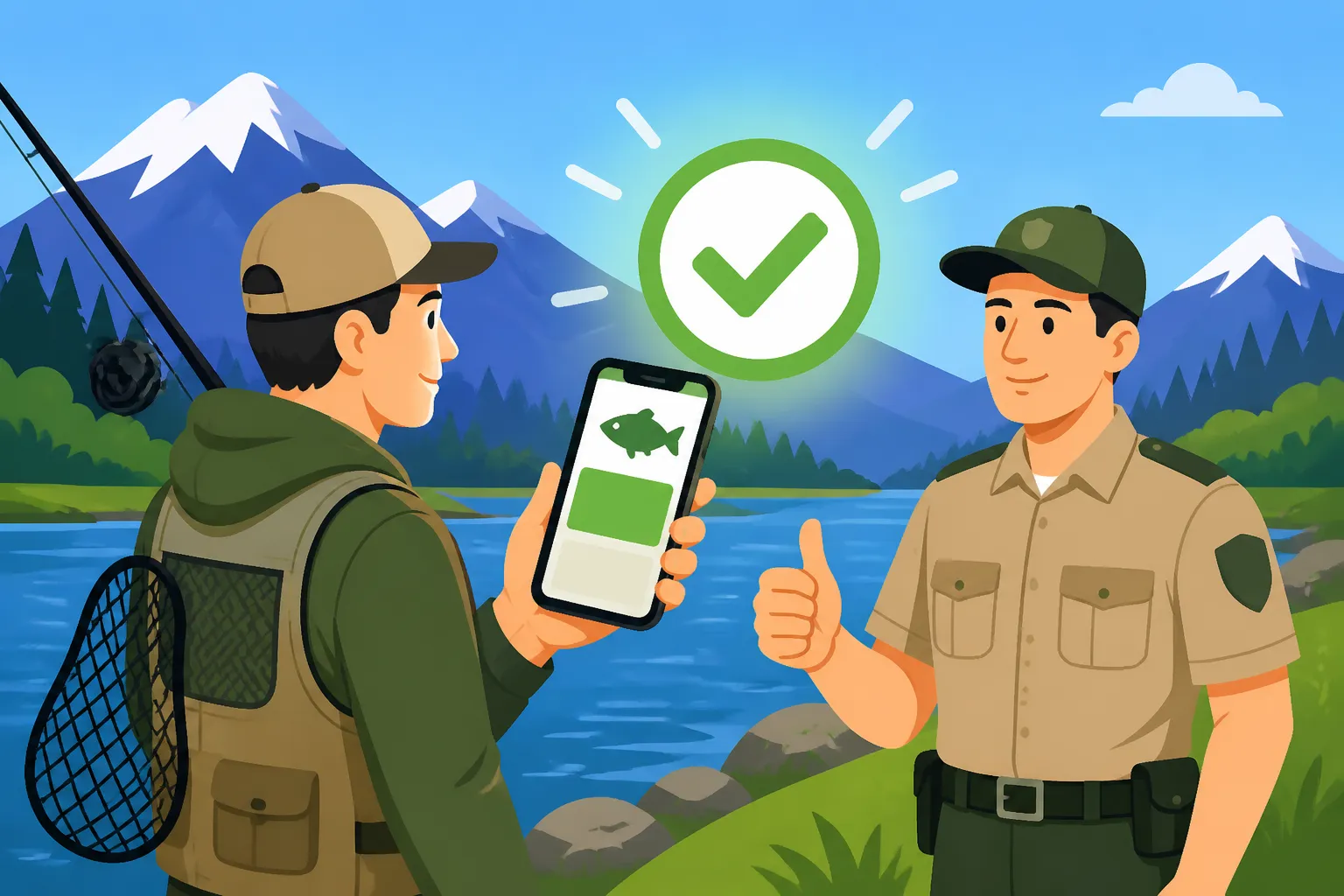
When asked, simply unlock your phone, open the My Colorado Parks and Wildlife app (or access your PDF/photo), and present your license screen to the officer. They will typically check for your name, license number, license type, and the expiration date. They’ll also confirm you have a valid Habitat Stamp. The entire process is usually very quick and straightforward. Remember, the officer needs to be able to clearly read all the information. If your screen is cracked, too dim, or if the digital file is corrupted, it might cause issues.
On one occasion, I saw an angler struggle with a glare on their phone screen during a bright afternoon on the Arkansas River. The officer patiently waited while the angler adjusted their position and screen brightness, but it certainly added a few minutes to what should have been a very quick interaction. This highlights the importance of having your screen clean and ready for viewing, much like keeping your physical license in a clear holder. Your Showing Your Colorado Fishing License in the Field article would offer more great tips on presentation!
Handling Remote Areas and Technical Glitches
This is perhaps the biggest point of friction and frustration for anglers relying solely on a digital license. Colorado is a state of vast wilderness and stunning, but often remote, fishing locations. Cell service can be nonexistent in many of our best fishing spots, from high-country alpine lakes to deep canyons along the Dolores River. The My Colorado Parks and Wildlife app does have some offline functionality, allowing you to access previously loaded licenses even without service. However, it's always wise to test this feature before you head out. A simple screenshot of your current valid license, stored in your phone's photo gallery, can also serve as a quick offline backup, assuming your battery holds up.
If your phone battery dies, or your device is damaged (perhaps you dropped it rock hopping across a creek), you're in a tough spot. A CPW officer's primary duty is to ensure compliance, and if you cannot produce a valid license in any form, they are obligated to issue a citation for fishing without a license. This can be a costly mistake, with penalties varying depending on the severity and jurisdiction. The exact cost of a penalty can be quite substantial, which is why understanding Penalties for Fishing Without a License in Colorado is critical. It's easy to get caught up in the moment, but a dead phone is not usually considered an acceptable excuse.
Practical Tips for Anglers Relying on Digital Licenses
To fully embrace the convenience of a digital fishing license without falling prey to its potential drawbacks, a few simple best practices can make all the difference. Think of it as preparing your digital gear as thoroughly as you prepare your rods and reels.
Device Preparation is Key
First and foremost, keep your phone fully charged. This might seem obvious, but it's astonishing how often a dying battery is the culprit in these situations. If you're planning a full day or multi-day trip, especially to remote areas, a portable power bank is a non-negotiable item. You can find robust, weatherproof power banks on Amazon that are perfect for outdoor adventures.
Beyond battery life, ensure your phone's screen is in good working order. A heavily cracked screen might make your license illegible, potentially causing issues. Take screenshots of your active licenses (both fishing and Habitat Stamp) and save them to a dedicated folder or album on your phone. This provides a quick backup that doesn't rely on cell service or the app loading properly, especially if you're in an area with bad reception.
Understanding Your Habitat Stamp
Just as important as your fishing license is your Colorado Habitat Stamp. Many anglers forget that this stamp is a separate, mandatory purchase for most residents and nonresidents between the ages of 18 and 64, and it must also be presented upon request. The good news is that when you purchase a fishing license online, the Habitat Stamp is often automatically added or purchased concurrently, and it will typically appear alongside your fishing license within the My Colorado Parks and Wildlife app.
However, if you're unsure or purchased them separately, double-check that both are accessible digitally. The same rules apply: it needs to be clear, legible, and easily retrievable. For a deeper dive, check out our guide on Colorado's Habitat Stamp, Explained and Who Needs Colorado's Habitat Stamp.
Troubleshooting Common Digital License Issues
Even with the best preparation, technology can be unpredictable. What if the CPW app crashes or won't load? What if your PDF viewer isn't working? This is where those screenshots come in handy. If the app is giving you trouble, switch to your photo gallery and pull up the screenshot.
If you don't have a smartphone or simply prefer not to rely on one while fishing, remember that Colorado Fishing License Options for Someone Without a Smartphone still exist! You can always opt for a printed license or a physical license card. While convenient, digital licenses aren't the only game in town. The ability to print a license at home or pick one up from a licensed vendor provides flexibility for all anglers. For more on the purchase process itself, you might find our guide on How to Buy a Colorado Fishing License incredibly helpful, especially when considering Buying a Colorado Fishing License Online at CPWShop.com. And don't forget, licenses expire, so keeping track of when to start Renewing a Colorado Fishing License is key.
Digital vs. Physical Fishing Licenses: A Quick Comparison
To help you weigh your options, here’s a quick overview of the pros and cons of digital versus physical fishing licenses:
| Feature | Digital Fishing License (e.g., CPW App) | Physical Fishing License (Printed or Card) |
|---|---|---|
| Convenience | Always on your phone, no extra item to carry (usually). | Requires carrying a physical card or paper, can be bulky or lost. |
| Accessibility | Quick access via app/photo, especially in urban areas with service. | Always accessible as long as you have it on your person. |
| Legibility | Screen clarity can vary (glare, cracks), device battery-dependent. | Consistent clarity, not reliant on external power. |
| Durability | Phone itself is vulnerable to water, drops; digital file is secure. | Paper can tear, get wet; plastic cards are more durable. |
| Backup | Screenshots, PDF copies. | Keeping an extra printed copy at home/in car. |
| Remote Areas | Limited by cell service and battery life. | Not affected by cell service or battery life. |
| Official View | Fully accepted by CPW, especially via the official app. | The traditional and always accepted method. |
Ultimately, the choice comes down to personal preference and how you plan your fishing trips. Many anglers find a hybrid approach to be the most reliable: relying on their digital license for most trips but always carrying a physical backup in their tackle box or vehicle for those "just in case" moments. Regardless of your choice, the most important thing is that you can produce a valid, legible license when asked. This ensures you comply with Colorado Fishing Regulations Every Angler Should Know and avoid any unnecessary headaches while enjoying the beautiful waters Colorado has to offer. Understanding What Colorado Game Wardens Check When They Stop You can also help you prepare for these encounters.
Disclaimer
Please note that regulations can change. While this guide provides the most up-to-date information at the time of writing, it is always your responsibility to consult the official Colorado Parks and Wildlife website or their current fishing regulations brochure for the latest and most accurate rules and requirements before heading out to fish.